In today’s digital economy, having a powerful Customer Relationship Management (CRM) system isn’t just a “nice‑to‑have” — it’s an essential foundation for sustainable business growth. CRMs help businesses move beyond spreadsheets, scattered notes, and fragmented customer data by centralizing everything in one place. Among the growing crop of CRM solutions, Brevo CRM stands out for its seamless integration with email marketing, automation workflows, and multichannel messaging — all under a single platform.
This comprehensive guide explains Brevo CRM in depth — what it is, how it works, what it includes, how to use it effectively, and why it’s a strong choice for small and medium‑sized businesses in 2026.
Table of Contents
- What Is Brevo CRM?
- Why CRM Matters in Modern Business
- How Brevo CRM Works
- Core Features of Brevo CRM
- Contact Management
- Deals & Sales Pipelines
- Activity Tracking
- Notes and Communication History
- Segmentation & Tagging
- Integrations With Email and Automation
- How to Set Up Brevo CRM Step‑by‑Step
- Best Practices for Using Brevo CRM
- Reporting & Analytics
- Advanced Capabilities
- Brevo CRM vs Standalone CRMs
- Pros and Cons
- Real‑World Use Cases
- Final Thoughts
1. What Is Brevo CRM?
Brevo CRM is the built‑in customer relationship management system within the larger Brevo platform (previously known primarily for email marketing under the name Sendinblue). It’s a unified CRM designed to help businesses:
- Centralize customer data
- Track interactions and activities
- Manage sales pipelines
- Automate follow‑ups and reminders
- Personalize communication across channels
Rather than being a separate application, Brevo CRM integrates tightly with the rest of the marketing stack — email campaigns, automation workflows, SMS and WhatsApp messaging, landing pages, and forms — enabling businesses to combine sales, marketing, and engagement workflows effectively.
2. Why CRM Matters in Modern Business
CRM systems are more than digital Rolodexes. They provide structured ways to:
- Store all customer information in one place
- Monitor touchpoints across email, phone, meetings, and campaigns
- Track deal progress and sales pipelines
- Improve customer experience by remembering preferences
- Enable smart automation and personalization
- Provide data‑driven insights for better decisions
In an age where customers expect timely and relevant interactions, CRMs help businesses deliver consistency and responsiveness — crucial elements for retention and growth.
3. How Brevo CRM Works
Brevo CRM works by capturing, organizing, and enriching contact data with interaction history. Whenever a lead enters your system — through a form, signup page, manual entry, or integration — Brevo stores and tracks:
- Emails sent and opened
- Campaign engagement
- Tags and attributes
- Deal history and pipeline stages
- Notes and activity logs
This historical context becomes the backbone of personalized communication and more meaningful sales follow‑ups.
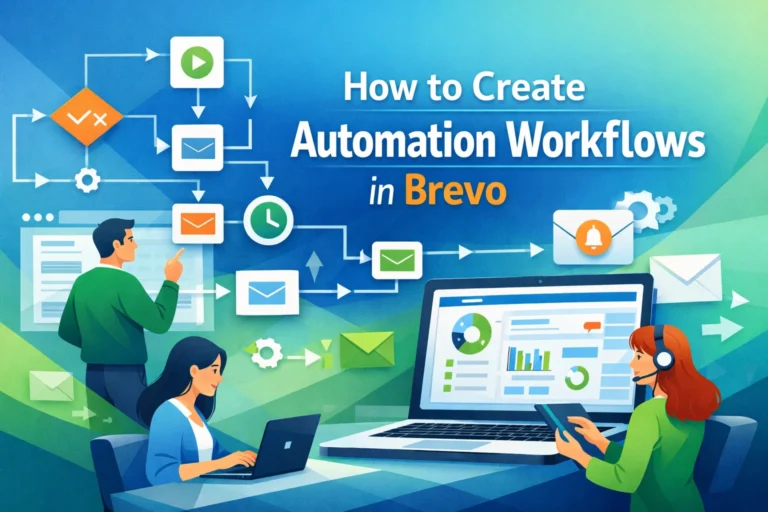
Brevo CRM also interacts with automation workflows, allowing dynamic updates to CRM data when specific triggers fire (e.g., a click, form submission, or purchase).
4. Core Features of Brevo CRM
A. Contact Management
At its core, Brevo CRM stores contact information:
- Name
- Phone number
- Tags
- Custom fields (e.g., industry, subscription preferences)
Contacts can be added in several ways:
- Manual entry
- Import via CSV or Excel
- Signup forms and landing pages
- Third‑party integrations
- API connections
Once inside Brevo CRM, every contact has a timeline view showing their interactions, emails, campaign responses, and any notes or activities logged.
Tip: Use custom fields to capture industry‑specific data (e.g., client type, product interest) — it makes segmentation and personalization far more effective.
B. Deals & Sales Pipelines
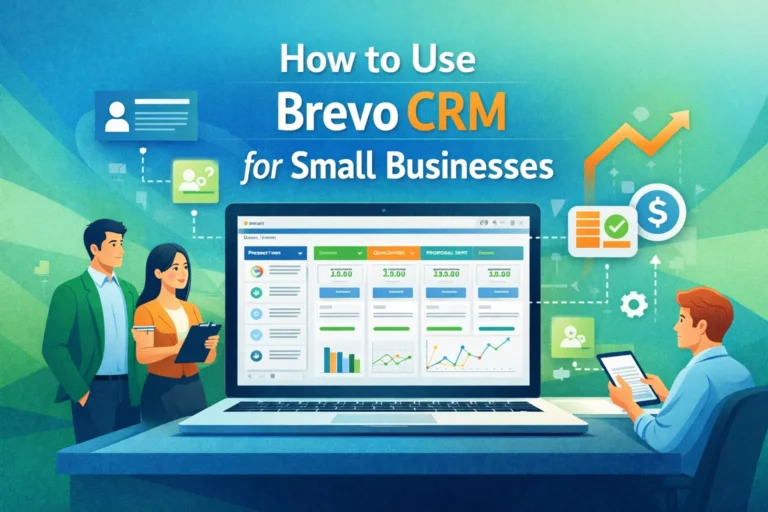
Brevo CRM includes a visual deals pipeline — a representation of your sales process from start to finish.
You can:
- Create multiple pipeline stages (e.g., New Lead, Qualified, Negotiation, Closed/Won)
- Assign deals to team members
- Set expected revenue and close dates
- Drag and drop deals between stages
This helps sales teams see at a glance where opportunities stand and what needs attention next.
Example Usage:
A digital agency may track leads from the initial contact (Stage 1), through proposal (Stage 2), to closed deals (Stage 3), managing forecasts and prioritizing follow‑ups.
C. Activity Tracking
Every meaningful interaction — calls, emails, meetings, tasks — can be logged as an activity.
Features include:
- Manual activity logging
- Scheduled reminders
- Syncing email replies
- Linking activities to deals or contacts
This ensures nothing falls through the cracks and provides a comprehensive history for each customer or lead.
D. Notes and Communication History
Brevo CRM stores notes associated with a contact or deal. This allows team members to document key conversations, insights, or next steps — essential for collaboration and continuity.
For example:
- A salesperson notes a client’s budget preferences
- A support rep logs a call outcome
- A marketing tag registers campaign interaction
A complete communication history strengthens follow‑ups and personalization.
E. Segmentation & Tagging
Brevo CRM supports:
- Tags (e.g., VIP, newsletter subscriber)
- Segments based on behavior (opened email, clicked link)
- Custom field filters
- Combined criteria (AND/OR logic)
Segmentation allows you to target precise audiences for campaigns and workflows rather than broadcasting to everyone.
Example:
Send a special offer only to contacts tagged “High Value” who opened the last three newsletters.
5. Integrations With Email and Automation
One of Brevo CRM’s biggest advantages is that it doesn’t exist in isolation — it connects directly with automation and communication tools within the Brevo ecosystem.
This means you can:
- Trigger automation when a contact enters a pipeline stage
- Update tags when an email link is clicked
- Send SMS based on CRM events
- Capture lead source from forms directly into CRM
- Sync CRM data with landing page conversions
This level of integration turns Brevo CRM from a database into a dynamic engine for audience engagement and sales funnel management.
6. How to Set Up Brevo CRM Step‑by‑Step
Here’s a practical walkthrough:
Step 1: Create Your Brevo Account
Sign up at www.brevo.com using a valid email.
Step 2: Navigate to CRM
After logging in:
Sidebar → CRM
Step 3: Add Company Details
Go to:
Settings → Company Details
Add your business name, address, and time zone.
Step 4: Import or Add Contacts
- Import contacts via CSV
- Use forms/landing pages to capture new ones
- Add manually for small lists
Step 5: Set Up Tags and Custom Fields
In:
Contacts → Manage Fields / Tags
Create meaningful tags and fields relevant to your workflow.
Step 6: Add Deals and Pipelines
Go to:
CRM → Deals
Define pipeline stages and add initial deals.
Step 7: Log Activities
Use the “Activity” panel inside contact profiles to log calls, meetings, and tasks.
Step 8: Connect with Automation
Go to:
Automation → Workflows
Include CRM conditions (e.g., “When a deal moves to Qualified”) as automation triggers.
7. Best Practices for Using Brevo CRM
A. Keep Your Data Clean
- Prevent duplicates
- Standardize field entries
- Regularly review inactive contacts
B. Use Tags and Custom Fields Thoughtfully
Too many fields clutter workflows. Use only what matters for segmentation and personalization.
C. Always Log Activities
Consistent activity logging builds context. Encourage your team to update notes immediately after calls or meetings.
D. Automate Repetitive Tasks
Automations save time and increase consistency — set up triggers for common actions like welcome emails or follow‑up reminders.
E. Track Metrics Regularly
Use reports to monitor pipeline velocity, conversion rates, and campaign engagement.
8. Reporting & Analytics
Brevo CRM provides dashboards and reports that help you answer questions like:
- How many leads are in each pipeline stage?
- What is the average time to close a deal?
- Which segments are most engaged?
- How do CRM tags correlate with campaign performance?
These insights help refine strategies and allocate resources smarter.
9. Advanced Capabilities
Brevo CRM also supports:
Lead Scoring
Assign points to actions (email clicks, site visits) so you can prioritize the most engaged prospects.
Automated Lead Assignment
Rules can distribute contacts to sales reps based on criteria (geography, product interest, etc.).
Custom Workflows
Tie CRM changes into marketing automation for complex journeys.
Multichannel Integration
Reach customers through email, SMS, WhatsApp, and push notifications based on CRM behavior.
10. Brevo CRM vs Standalone CRMs
Brevo CRM is not a full stand‑alone enterprise CRM like Salesforce or Microsoft Dynamics — and that’s intentional. Its strength lies in integration with marketing workflows, not just contact storage.
Strength Compared to Standalone CRMs:
✔ Lower cost and easier setup
✔ Built‑in marketing and automation tools
✔ Multi‑channel engagement within one platform
✔ Centralized email and CRM data
Limitations Compared to Enterprise CRMs:
✘ Fewer advanced sales forecasting tools
✘ Limited user permissions for complex teams
✘ Not designed for multinational customer hierarchies
For most SMBs and integrated marketing workflows, Brevo CRM strikes an excellent balance.
11. Pros and Cons
Pros
✔ Unified CRM + email + automation
✔ Easy setup for small teams
✔ Flexible tagging and segmentation
✔ Integrated multichannel messaging
✔ Good value compared to separate tools
Cons
✘ Not as deep on advanced enterprise features
✘ CRM features may feel basic for large sales teams
✘ Automation workflows require initial learning for complex journeys
12. Real‑World Use Cases
Ecommerce Store
- Capture leads via pop‑ups
- Nurture with automated messages
- Track purchase behavior
- Segment high‑value customers
- Run abandoned cart automation
Freelance Service Provider
- Track leads by source
- Schedule follow‑up tasks
- Send proposals and reminders
- Monitor deal pipeline
Local Business
- Sync bookings to CRM
- Send appointment reminders
- Track customer history and preferences
- Automate re‑engagement campaigns
13. Final Thoughts
Brevo CRM is a powerful, integrated solution for businesses that want more than a contact list — they want a system that connects sales, marketing, and automation in a meaningful way. It’s not the most feature‑heavy enterprise CRM on the market, but for small to medium businesses, ecommerce players, and integrated marketing workflows, Brevo CRM delivers tremendous value — especially when combined with email campaigns and multichannel outreach.
In 2026, Brevo CRM stands out for:
- Cost‑effective approach
- Integrated communication stack
- Flexible automation
- Scalable design
- Accessible onboarding
If your goal is to unify your customer engagement efforts and automate meaningful interactions — without the complexity and cost of siloed tools — Brevo CRM is a compelling choice.
FAQ’s
1️⃣ What is Brevo CRM and how does it work?
Brevo CRM is a customer relationship management system integrated within the Brevo platform. It centralizes contact data, tracks customer interactions, manages deals and pipelines, and connects directly with email, automation, and multichannel messaging workflows.
2️⃣ Who should use Brevo CRM?
Brevo CRM is ideal for small and medium-sized businesses, ecommerce stores, agencies, freelancers, and creators. It is especially useful for teams that want to combine CRM with email marketing, automation, and multichannel campaigns in a single platform.
3️⃣ What are the key features of Brevo CRM?
Brevo CRM offers:
- Contact management with custom fields and tags
- Deals and sales pipeline management
- Activity tracking and communication history
- Segmentation for targeted campaigns
- Automation integration with workflows
- Multichannel messaging (email, SMS, WhatsApp, push notifications)
- Reporting and analytics
4️⃣ How do I set up Brevo CRM?
To set up Brevo CRM:
- Create a Brevo account and log in
- Navigate to CRM in the dashboard
- Add company details and time zone
- Import or manually add contacts
- Create tags and custom fields
- Set up deals and pipeline stages
- Log activities and connect CRM to automation workflows
5️⃣ Is Brevo CRM suitable for advanced sales teams?
Brevo CRM is best suited for small to medium-sized teams and integrated marketing workflows. While it offers automation and pipeline management, enterprise-level sales teams may require more advanced CRMs like Salesforce or ActiveCampaign for complex forecasting, hierarchical permissions, and multi-national account management.