Choosing the right email marketing platform is one of the most important decisions a beginner marketer or small business owner can make. Two of the most well‑known options are Brevo (formerly Sendinblue) and Mailchimp — both powerful, established platforms with loyal user bases. However, they differ in pricing models, features, ease of use, and scalability, which can significantly impact your marketing success if you’re just starting out.
This article explores these differences in detail, so you can confidently decide which platform is better for beginners in 2026.
🔍 What These Platforms Do
Both Brevo and Mailchimp help you:
- Build and send email campaigns
- Automate messaging
- Capture leads with forms and landing pages
- Track email performance metrics
- Manage contact lists and segmentation
But how they deliver and structure these features can make one platform better suited than the other — depending on your goals, budget, and technical comfort level.
📌 Key Differences Overview
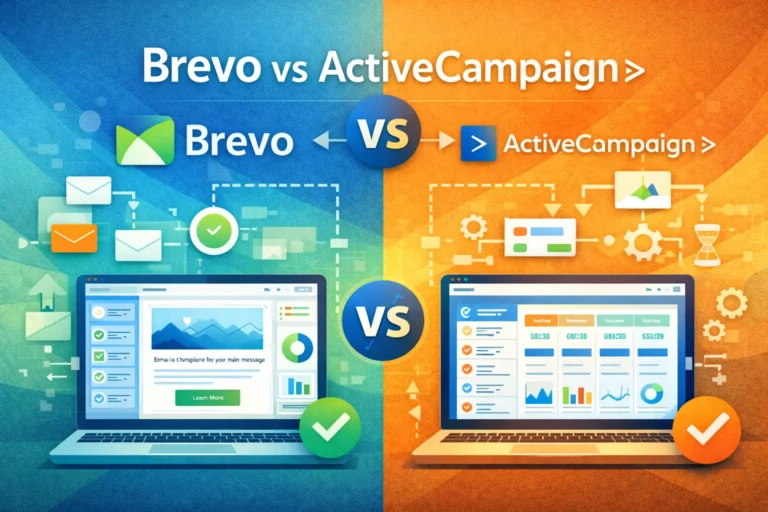
| Aspect | Brevo | Mailchimp |
|---|---|---|
| Pricing Model | Based on email volume sent | Based on number of contacts stored |
| Free Plan Limitations | Unlimited contacts, 9,000 emails/month | 500 contacts, 1,000 emails/month |
| Transactional Emails | Built‑in | Requires separate product (Mandrill add‑on) |
| CRM Features | Built‑in CRM included | Limited CRM features |
| Multichannel Messaging | Email, SMS, WhatsApp, live chat | Email + SMS (on paid plans only) |
| Integration Ecosystem | ~150+ integrations | ~300+ integrations |
| Automation Templates | Available | Larger library, more advanced options |
| Template Designs | Good selection | Very large and polished |
💰 Pricing: Which Is Easier for Beginners?
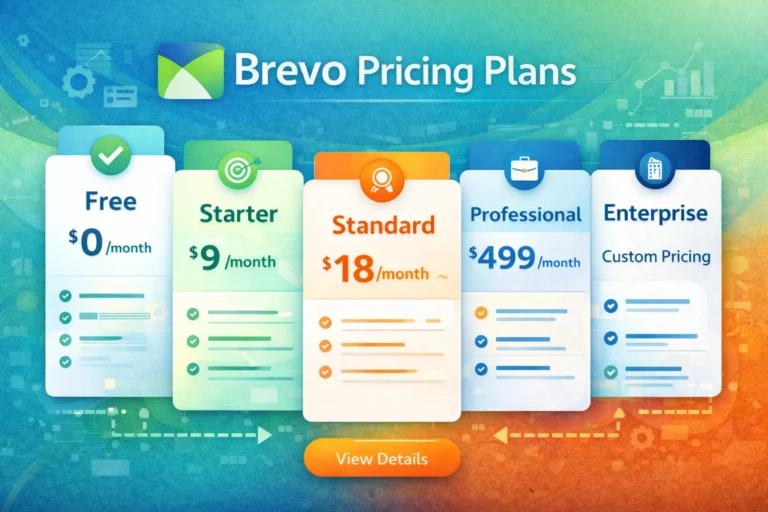
Brevo’s Pricing Model
- Charges based on email sending volume rather than number of contacts stored — which means you can store unlimited contacts even on the free plan.
- Free plan includes up to 9,000 emails per month (300/day) with essential features like automation, forms, CRM, and templates.
- Paid plans start at a modest price (e.g., around $9/month for Starter) and scale based on email sends.
This volume‑based pricing is ideal for beginners who expect their list to grow but don’t yet want to pay based on contact count. That means you don’t immediately incur higher costs as your list grows.
Mailchimp’s Pricing Model
Mailchimp operates on a contact‑based pricing structure — which means as you add more subscribers, your monthly cost increases.
- Free plan supports up to 500 contacts and 1,000 emails per month.
- Paid plans start at around $13/month but scale rapidly as contact counts increase.
- More advanced features — like predictive segmentation, AI tools, or custom reporting — are locked behind higher tiers.
For beginners with small lists, Mailchimp’s free plan may get you started, but as your list grows, the cost can become prohibitive unless you plan on substantial email engagement.
🧰 Ease of Use and Learning Curve
Brevo for Beginners
Brevo’s interface focuses on simplicity and accessibility. It provides:
- A clean drag‑and‑drop email editor
- Straightforward automation builder
- Built‑in CRM tools for list organization
- Easy setup for transactional emails without additional software
However, some users find Brevo’s interface less polished than Mailchimp’s. Beginners may need extra time exploring menus and settings — but many appreciate Brevo’s transparency and frequent in‑platform guidance.
Mailchimp for Beginners
Mailchimp is widely recognized for its approachable onboarding experience. Things to note:
- Intuitive email builder with a polished design
- Predefined campaign types and guided setup
- A/B testing and send‑time optimization available even on many mid‑tier plans
- Extensive template library and guided analytics dashboards
Mailchimp’s interface tends to be friendlier for absolute beginners, especially those who want “plug‑and‑play” visuals without heavy configuration. However, some users report that as they scale, the system can feel clunky and complex for advanced workflows — especially across multiple audiences.
📊 Features Breakdown for Beginners
Let’s compare specific categories that matter most when you’re just starting.
✉️ Email Creation & Templates
- Brevo: Good library of responsive templates; robust drag‑and‑drop editor with personalization tokens.
- Mailchimp: Larger selection of templates with more design variety and refinement.
For beginners focused on polished design, Mailchimp offers more choice out of the box. But Brevo still includes everything you need to build effective campaigns.
🤖 Automation
Both platforms include marketing automation:
- Brevo provides automation workflows that trigger based on user behavior and engagement, even on its free plan.
- Mailchimp typically unlocks more advanced automation with paid plans and offers a more extensive library of prebuilt journey flows.
Beginners may appreciate Brevo’s free automation access, but Mailchimp’s deeper automation tools may serve businesses with more complex email sequences.
👥 List Management and Segmentation
- Brevo allows unlimited contact storage and segmentation on most plans, making it easy to group users by interest or behavior.
- Mailchimp’s segmentation tools evolve with pricing tiers, offering more advanced predictive segments at higher levels.
For a beginner, both are functional, but Brevo’s unlimited contacts without cost is a big advantage early on.
📊 Reporting & Analytics
Mailchimp offers more advanced reporting options, including revenue attribution and benchmarking metrics on higher tiers.
Brevo’s analytics cover key performance indicators like open rates, clicks, and automations, which are sufficient for beginners but less sophisticated at the enterprise level.
🧭 CRM & Multichannel Messaging
One clear area of difference is tools beyond email:
- Brevo includes built‑in CRM features and multichannel messaging (SMS, WhatsApp, push, live chat) depending on plan.
- Mailchimp focuses primarily on email (and SMS on certain plans) — and its CRM is more limited.
If you are a beginner wanting marketing plus customer management and multichannel outreach in one platform, Brevo has an edge.
📥 Transactional Emails
Transactional emails are system‑triggered messages like order confirmations or password resets:
- Brevo includes these in regular plans via its SMTP features without needing extra add‑ons.
- Mailchimp requires a separate add‑on (Mandrill) at additional cost and complexity.
Beginners handling ecommerce or automated notifications may find Brevo simpler and cheaper here.
📦 Integrations
- Mailchimp integrates with over 300 applications, including major ecommerce, analytics, CRM, and productivity tools.
- Brevo offers around 150+ integrations, covering most popular platforms but with fewer niche options.
For beginners who use many third‑party tools, Mailchimp’s larger ecosystem could offer better connectivity.
🧠 Community & Support
Mailchimp generally provides broader help resources, including tutorials, onboarding tools, and 24/7 support on many paid plans, while Brevo’s support varies by plan but still includes robust email and documentation access.
🧠 Final Verdict: Which Is Better for Beginners?
Both tools are solid choices, but the better option depends on your priorities:
✅ Choose Brevo if you want:
- Generous free plan with unlimited contacts and automation.
- Email marketing + CRM + multichannel messaging in one platform.
- Predictable pricing based on email volume (good for large lists with infrequent sends).
- Built‑in transactional email without extra add‑ons.
→ Brevo is especially suitable for bootstrapped startups, small businesses, and bootstrapping teams focused on cost‑effective, scalable email marketing with growth potential.
✅ Choose Mailchimp if you want:
- Highly polished interface and design tools.
- More prebuilt automation workflows and advanced marketing tools.
- Larger integration ecosystem.
- Advanced analytics and reporting tied to revenue.
→ Mailchimp tends to work well for marketers who prioritize sophisticated email campaigns, design flexibility, and deep analytics.
📌 Bottom Line for Beginners
If you’re just starting, Brevo generally provides better value, affordability, and scalability — especially if you expect a growing contact list and want more than just email marketing in the future. Mailchimp, on the other hand, feels more polished and advanced for users who prioritize campaign sophistication and premium analytics from the outset.
Both platforms have free tiers, so if you’re unsure, testing each with your real use case is a great way to decide which one fits your comfort level and goals.
FAQ’s
1️⃣ What is the main difference between Brevo and Mailchimp?
The main difference lies in their pricing models and feature focus. Brevo charges based on email volume and includes CRM, transactional emails, and multichannel messaging in most plans. Mailchimp charges based on the number of contacts and offers a larger library of templates and more advanced analytics, but transactional emails require an add-on.
2️⃣ Which platform is better for beginners with a small budget?
For beginners on a budget, Brevo is usually better because its free plan allows unlimited contacts and up to 9,000 emails per month. Mailchimp’s free plan is limited to 500 contacts and 1,000 emails per month, which can restrict growth.
3️⃣ Can I use Brevo and Mailchimp for automation as a beginner?
Yes, both platforms offer automation, but with differences:
- Brevo: Includes automation workflows even on the free plan, allowing triggers based on behavior, engagement, or CRM events.
- Mailchimp: Provides more advanced automation templates, but some features are only available on paid tiers.
4️⃣ Which platform offers better multichannel marketing for beginners?
Brevo offers true multichannel marketing, including email, SMS, WhatsApp, push notifications, and live chat. Mailchimp primarily focuses on email and limited SMS, making Brevo more versatile for small businesses looking to reach customers across multiple channels.
5️⃣ Is Mailchimp better than Brevo for email design?
Mailchimp has a larger and more polished template library with advanced design flexibility, which can make email creation quicker and visually impressive for beginners. Brevo’s templates are also responsive and customizable but slightly fewer in variety. Both are sufficient for most small business campaigns.